
What's changing in Intune: the deadlines, defaults and new features to plan for now
Google Play's strong integrity check gets stricter on Saturday, scoped permissions will change who can do what in your tenant, legacy Apple update policies are on their way out, and macOS 15 becomes the new minimum. Here's every Intune change worth knowing about, what each one means and what to do.
On this page
- Act this week: Google Play strong integrity on Android
- Before it lands: scoped permissions become the default
- Before it lands: automatic JIT registration for iOS and iPadOS
- Before it lands: device control policies reach Defender-managed devices
- Apple OS 27: three changes to plan for
- Worth knowing: new this autumn
- Coming soon
- Your checklist
- Sources
Intune changes every week, and most of it is good news you can read later. A handful of things coming up over the next few weeks will change how your tenant behaves without you touching anything, and one of them lands this Saturday.
Here's what's changing, sorted by how soon you need to act.
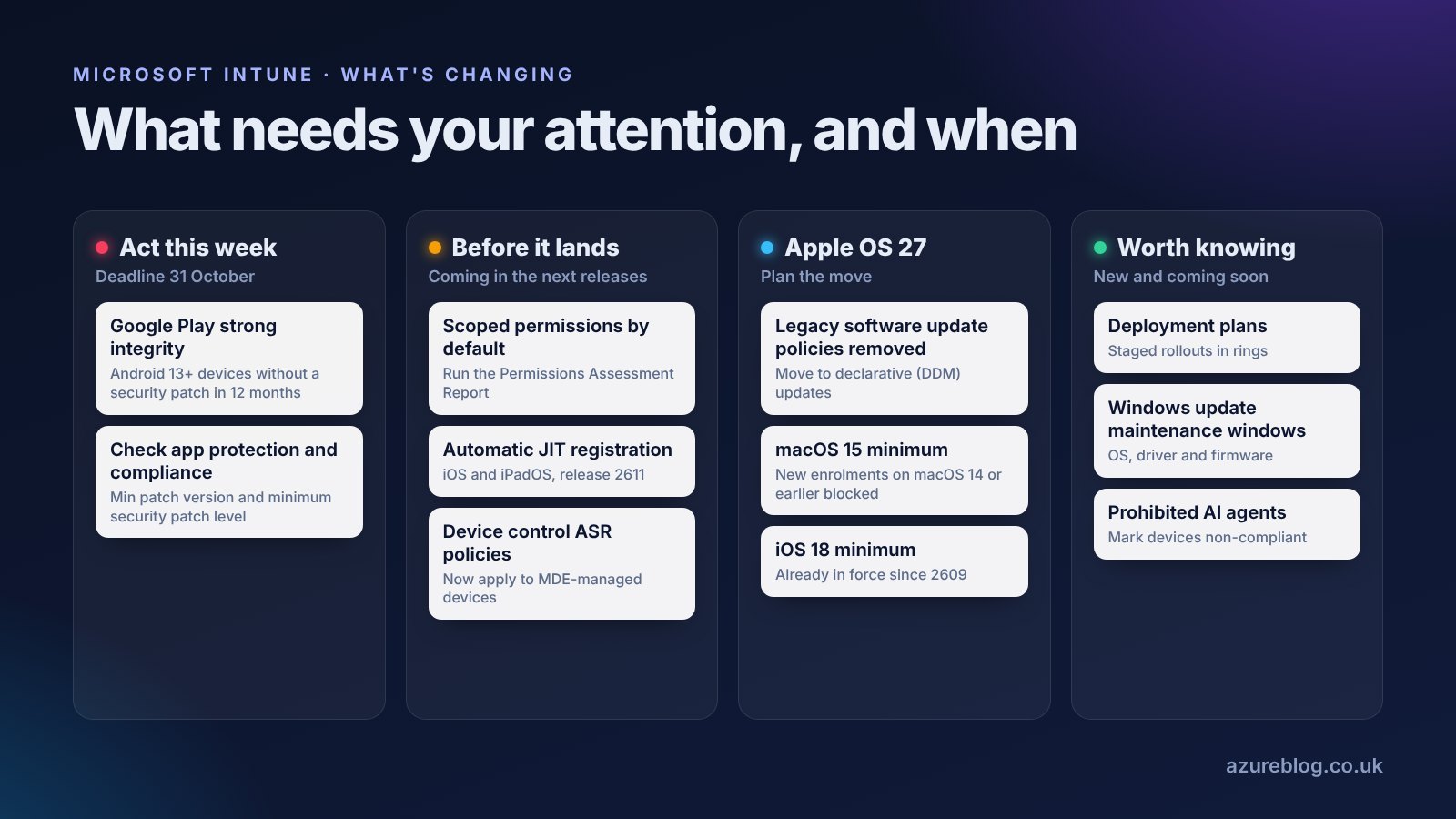
- iOS and iPadOS 18 is the minimum
- Google Play strong integrity enforced on Android 13+
- Automatic JIT registration for eligible iOS tenants
- Scoped permissions become the default
- macOS 15 becomes the minimum
- Legacy Apple software update policies removed
Act this week: Google Play strong integrity on Android
Strong integrity enforcement starts in
Countdown to 31 October 2026 (UTC), the date Microsoft says Intune will enforce the change.
Google has tightened what it takes for a device to pass its strong integrity check. On Android 13 and later, a device must also have had a security update within the last 12 months. Intune has been following Google's backward compatibility guidance until now, and Microsoft says it will enforce the change by 31 October 2026.
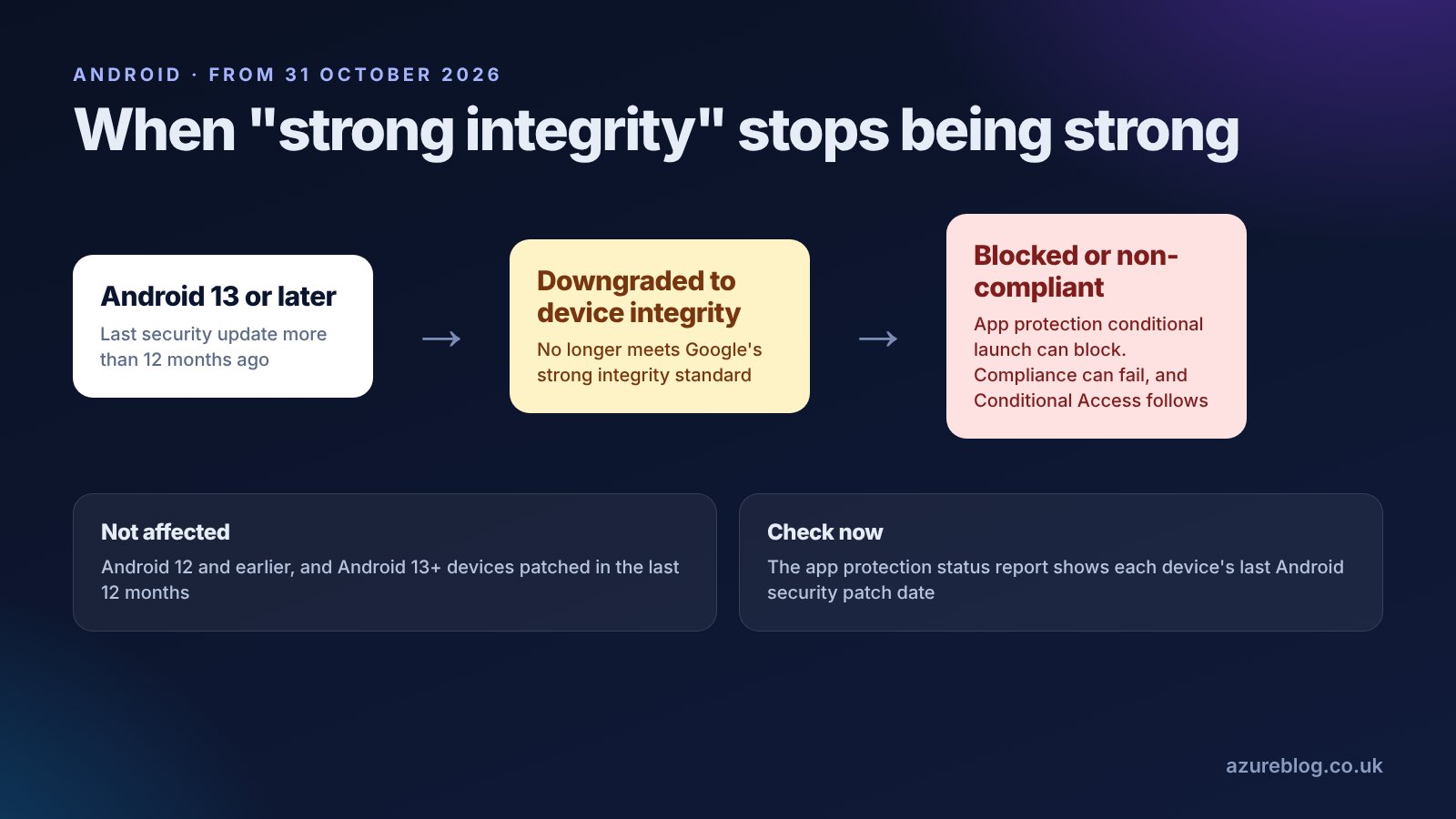
An affected device can be downgraded from strong integrity to device integrity. If your app protection policies or compliance policies require strong integrity, that can mean app protection conditional launch blocks, devices marked non-compliant in Company Portal and, through Conditional Access, lost access to company resources. Android 12 and earlier aren't affected.
What to do:
- Open the app protection status report and look at each device's last Android security patch date.
- In app protection policies, set the Min OS version and Min patch version conditional launch settings, so users get a clear message instead of a surprise block.
- In compliance policies, set a Minimum security patch level.
- Warn your service desk. Users on old, unpatched phones are the ones who'll call on Monday.
Before it lands: scoped permissions become the default
This one could quietly change what your admins can do. Today, if an admin is in several role assignments that use different scope tags but share a permission category, such as Mobile Apps, Intune merges the permissions across them. That often gives people more access than you meant to.
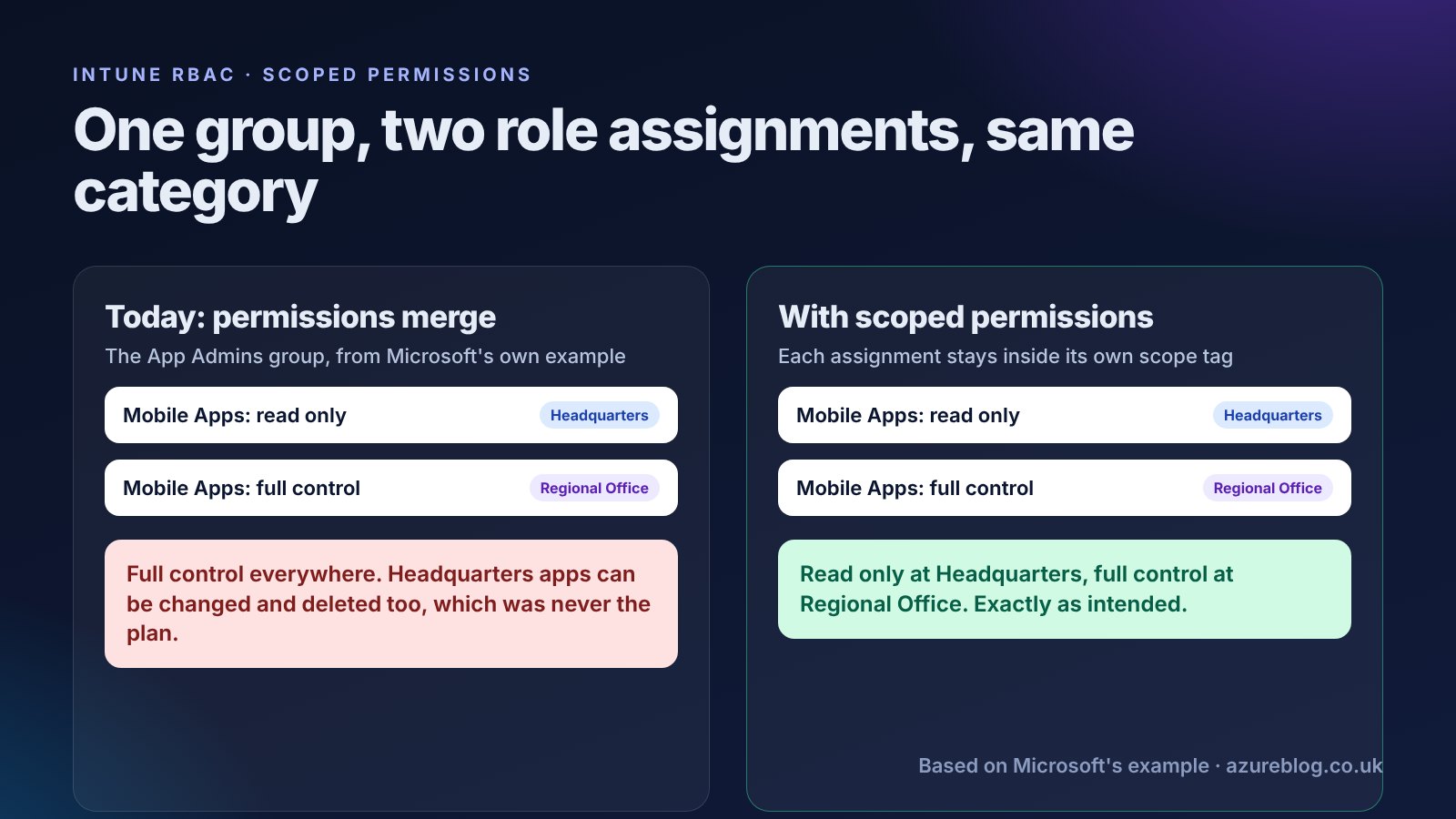
Scoped permissions stops the merging, so each role assignment only applies inside its own scope tag. It's in public preview as an opt-in setting today. When it reaches general availability, Microsoft says it will become the default for every tenant.
That's a good change for security, but some admins will lose access they've been relying on, possibly without realising they had it. Enabling it yourself is a one-time action that can't be undone.
What to do: go to Tenant administration › Roles › Settings and select Generate Report to run the Permissions Assessment Report. It lists each affected group, the roles and scope tags involved, and their old and new permissions side by side. Export it, fix any role assignments that relied on merging, and tell the admins who'll lose access before the change arrives.
Before it lands: automatic JIT registration for iOS and iPadOS
With release 2611, Intune will switch on just-in-time (JIT) registration automatically for eligible tenants. Eligible means you deploy Microsoft Authenticator as a required app and already have a device single sign-on (SSO) extension policy without the JIT settings. Intune adds the missing configuration to your existing policy for you.
For users, that means registering the device from a supported work app, without a separate Company Portal sign-in. From the November release, every tenant will also see a reminder to configure JIT when renewing the Apple MDM push certificate.
What to do: nothing is required. But if you have Apple onboarding guides or screenshots for users, check them against the new flow, and test it with a pilot device once 2611 reaches your tenant.
Before it lands: device control policies reach Defender-managed devices
Device control attack surface reduction policies will apply to devices managed through Microsoft Defender for Endpoint's security settings management, not only to Intune-enrolled devices. If one of those policies is assigned to groups that include Defender-only devices, they'll start applying it.
What to do: review the assignments on your device control policies so the scope is what you expect.
Apple OS 27: three changes to plan for
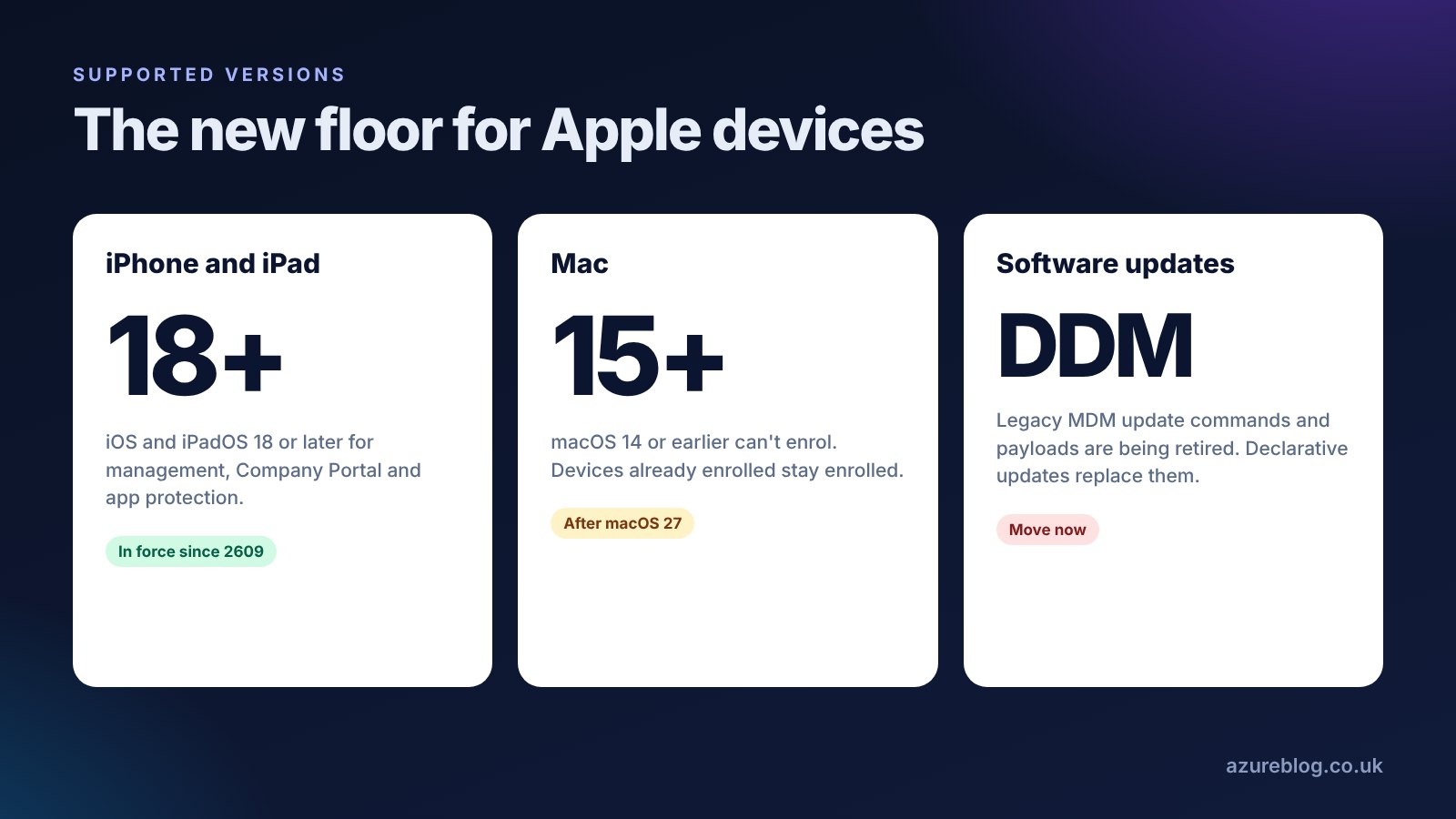
Legacy software update policies are going
Apple is retiring the old MDM software update commands and payloads, and Intune will remove the legacy Apple software update workloads when it does. Anything still relying on them needs to move to declarative device management (DDM) software updates.
- Update commands and queries
- Deferrals and update restrictions
- Being retired by Apple, then removed from Intune
- The device enforces the update itself
- Target a version and a deadline
- Status reported back to Intune
- Where all new Apple update features land
What to do: list every iOS, iPadOS and macOS update policy you have, and rebuild the legacy ones as DDM software update policies. Pilot first, because users see different prompts and deadlines.
macOS 15 becomes the minimum
After macOS 27 is released, Intune, Company Portal and the Intune management agent will support macOS 15 and later. Macs on macOS 14 or earlier that are already enrolled stay enrolled, but new ones on those versions won't be able to enrol.
What to do: in Devices › All devices, filter by macOS and find anything on 14 or earlier. That includes spare and rebuilt Macs, which are the ones that fail on enrolment day.
iOS and iPadOS 18 is already the minimum
Since release 2609, iOS and iPadOS 18 or later is needed for standard management, Company Portal and app protection. If you haven't checked for older devices yet, do it alongside the macOS check.
Worth knowing: new this autumn
- Deployment plans: stage app and policy rollouts across rings, tied into Multiple Admin Approval.
- Client-driven compliance for Windows (preview): devices ask for a compliance re-evaluation as soon as something changes, rather than waiting for the next check-in.
- Faster Win32 app delivery: push notifications trigger check-ins sooner after app changes, and app assignments are checked straight after the Enrollment Status Page.
- AI agent runtime protection: a new Defender Antivirus profile that detects unsafe AI agent activity. Start in audit mode, then block.
- Windows 11 26H2 security baseline: existing baseline profiles don't update themselves, so create a new one or update yours.
- Apple VPP apps with unlimited licences: no more managing licence counts for those apps.
- The new single device page is now the only device view.
Coming soon
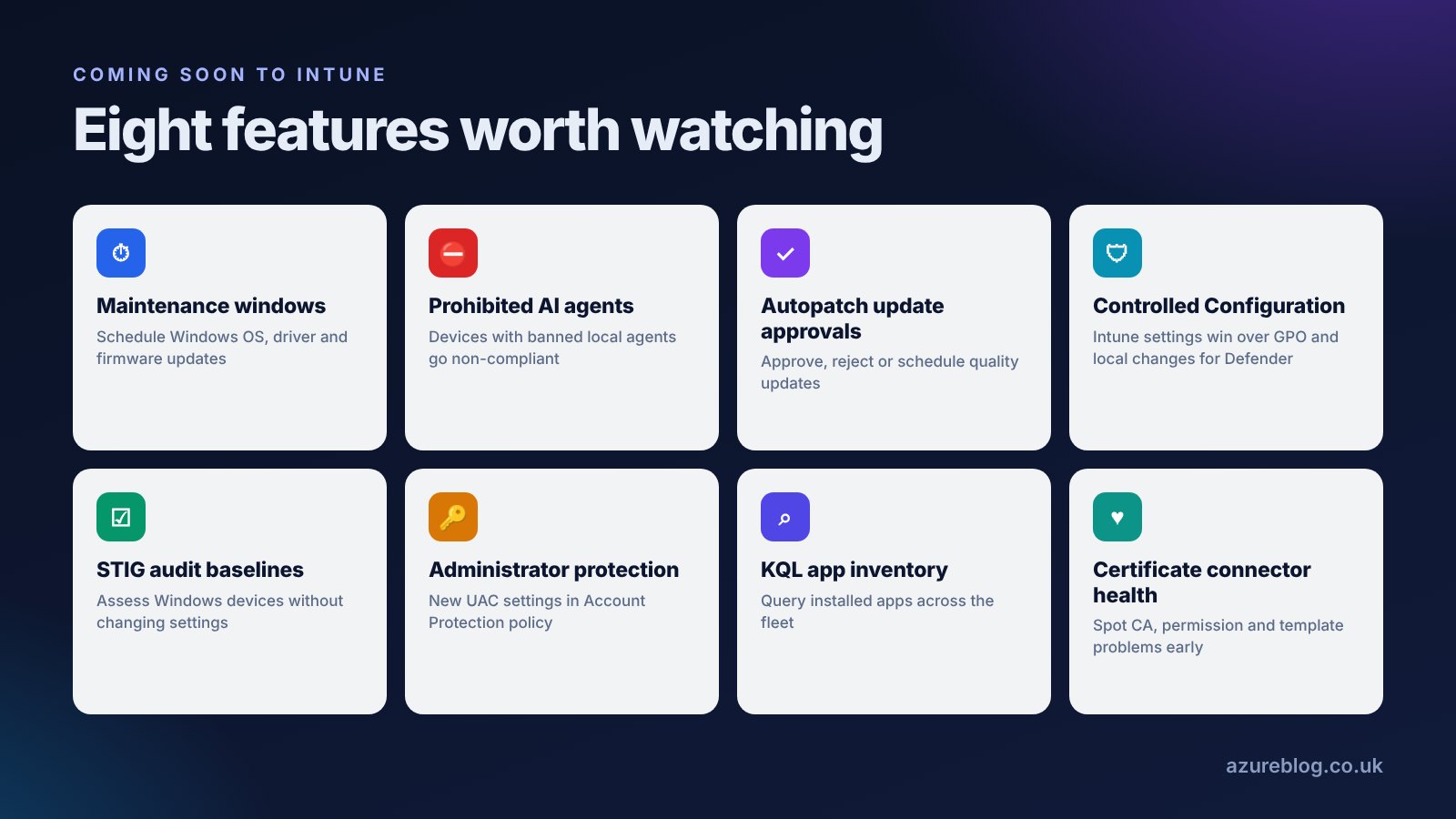
- Maintenance windows for Windows updates: schedule OS, driver and firmware updates daily, weekly or monthly. App installs aren't included at first.
- Prohibited AI agents: list banned local AI agents in a Windows compliance policy, and devices that have one become non-compliant until it's removed.
- Windows Autopatch update approvals: approve, reject or schedule monthly and out-of-band quality updates.
- Controlled Configuration for Defender Antivirus: Intune or Defender settings take precedence over conflicting Group Policy, Configuration Manager and local changes.
- STIG audit baselines: check Windows devices against STIG recommendations without changing anything.
- Administrator protection: two new UAC settings in Account Protection policy for Windows 11 24H2 and 25H2.
- KQL app inventory: query installed apps across your whole Windows fleet.
- Certificate connector health: warnings for problems such as an unreachable CA, missing permissions or mismatched SCEP and PKCS templates.
Your checklist
- Today: check Android patch dates in the app protection status report, and set minimum patch levels.
- This week: run the Permissions Assessment Report and fix any role assignments that rely on merged permissions.
- This month: move Apple software updates to declarative policies.
- This month: find Macs on macOS 14 or earlier and iPhones below iOS 18.
- Before 2611: review Apple onboarding guides for the JIT registration flow.
- When convenient: check assignments on device control policies, and create the Windows 11 26H2 baseline.
All of these deadlines are on the deadline timeline, and the changes feed tracks Intune news as it lands.
Sources
- In development for Microsoft Intune (Microsoft Learn, updated 26 October 2026)
- What's new in Microsoft Intune (Microsoft Learn)
- Use RBAC and scope tags for distributed IT (Microsoft Learn)
Suggest a topic or a tool
Related posts
 Intune Security · What's new
Microsoft's deadline week: four products retire tomorrow, and Secure Boot's last 2011 certificate expires next Monday
13 October 2026 ends support for Windows 11 24H2 Home and Pro, Windows 10 2016 LTSB and Office LTSC 2021, and moves Windows Server 2022 into extended support. On 19 October the Windows Production PCA 2011 certificate expires. Pick what you run for your own action list, and check any device's Secure Boot status in seconds.
 Intune Windows · What's new
Intune in September: deployment rings, faster compliance and stricter automation
Five recent Intune changes that affect how you roll out, how quickly devices become compliant, and whether your automation keeps working.
 Intune What's new
Intune in August: unattended Remote Help, DDM app installs and eSIM
Helpdesk agents can now support Windows devices with nobody at the keyboard, Apple VPP apps can install through declarative device management, and corporate Android gets eSIM control.